Description
This document explains how to import/export contact settings in WMS.
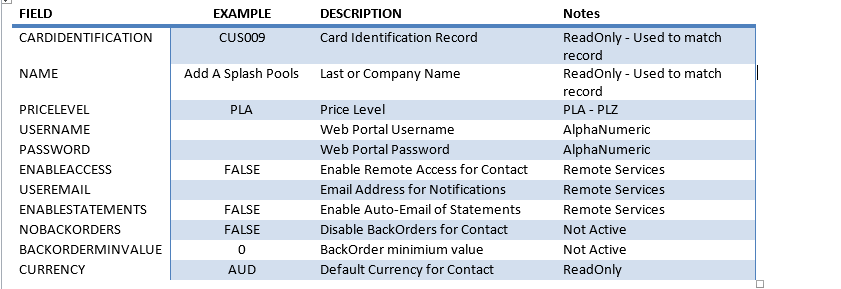
File description of the field. Sample file attached.

Detail Steps
1. Logon to WMS.
2.Go to Workspace > Import > Contact Settings.
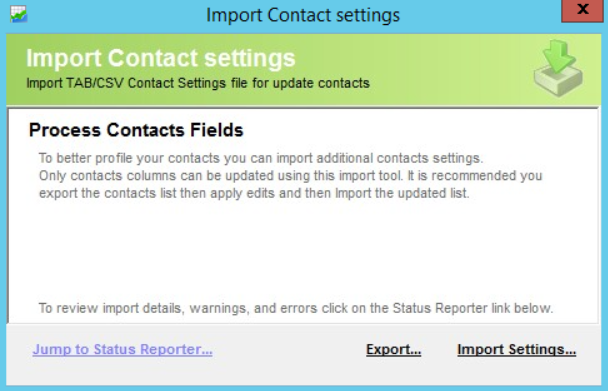
3. Select Export.
4. File will automatically download.
5. Save the exported file and make necessary changes.
6. When saving, choose the file format CSV MS DOS. This will ensure that you will be able to import the file into WMS.
Watch this to see the option for the file format: https://www.loom.com/share/0918d74e10ea48d78fb58f940d8b0bf6?sid=c2fdcb55-89fe-41b9-a2b9-3c6b5d7eb698
7. Go to Workspace > Import > Contact Settings > Import Settings...
Related Information
Was this article helpful?
That’s Great!
Thank you for your feedback
Sorry! We couldn't be helpful
Thank you for your feedback
Feedback sent
We appreciate your effort and will try to fix the article