Description
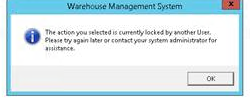
If a user session terminates incorrectly OR if a user forgets to log out, a FALSE multi-user lock may need to be cleared.
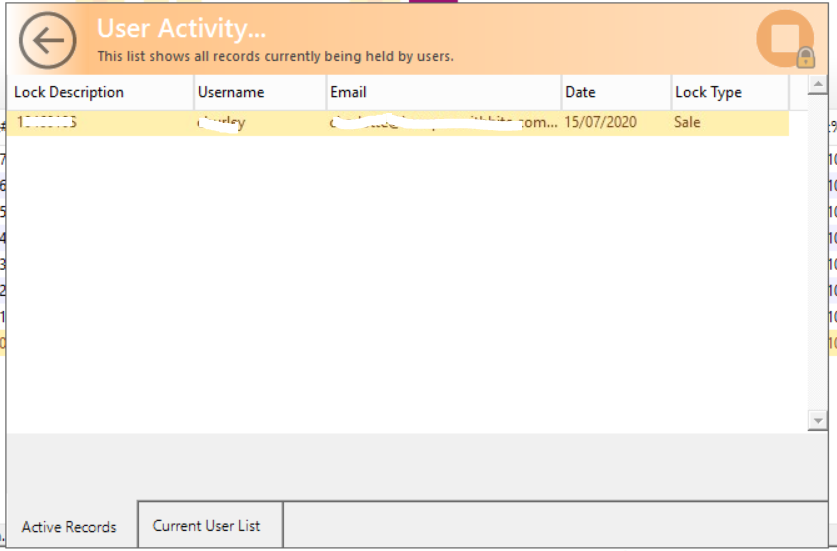
Error : "This record is locked by ..." or "User Activity... This list shows all records currently being held by users."
Detail Steps
IF YOU ARE THE ONLY USER LOGGED IN and you have a Locked Record Warning you will need to remove the Lock.
NOTE: Only a superuser can remove the lock.
Workflow Restrictions Do not remove lock of user if that user is genuinely still running the transaction, or else it may cause data corruption. Example, user is running replication and pending to complete or user is entering data onto a sales order. |
Log in as a superuser.
Check you are the only user in the system.
Click on Workspace menu Import > Active Users.
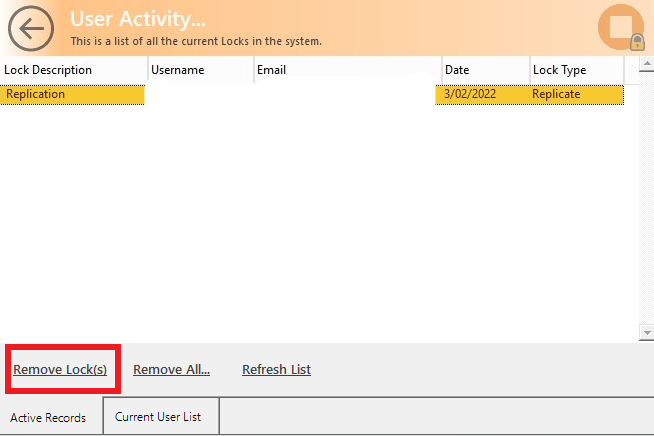
Click on the affected User and Remove Lock(s) which will only remove the particular record lock, or Remove All… this will release the locks on all data records.
Related Information
Why do locks happen? Locks occur when two people attempt to edit the same record simultaneously, or when a system-wide function (like a stock-take update) is running.
Troubleshooting: If the lock persists after following these steps, ensure no background Scheduled Tasks or Replication processes are currently hung.
Was this article helpful?
That’s Great!
Thank you for your feedback
Sorry! We couldn't be helpful
Thank you for your feedback
Feedback sent
We appreciate your effort and will try to fix the article